What it is#
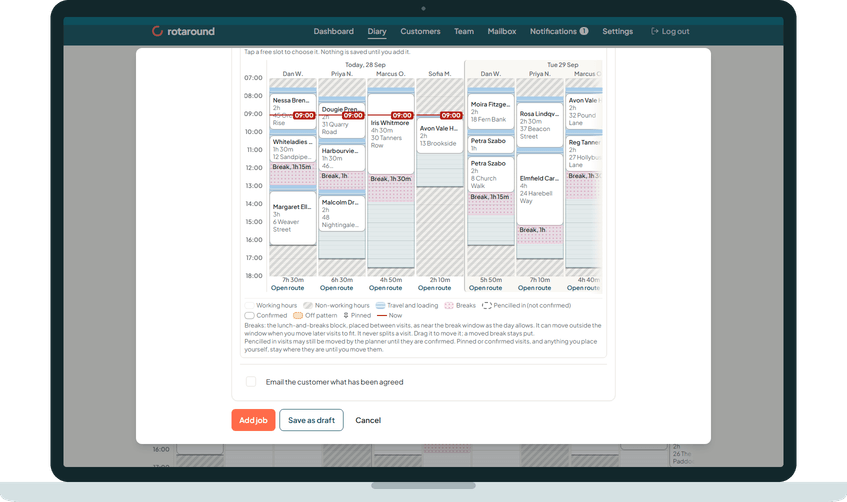
The add sheet can show a small week of the diary inside it. You see the same days and team members as on the Diary page, and you tap a free slot to choose it. Nothing is saved until you press the sheet's main button.
When to use it#
Use it when none of the suggested slots suits you, when you want to see the whole week before you decide, or when nothing fits in the next few weeks and you want to choose a day yourself.
How to do it#
- In the sheet, under When, choose Choose the slot.
- Press Show the diary. On a phone the diary opens full screen, with Back to return to the sheet.
- Move through the weeks with Previous week and Next week, or jump to a day with Go to date. The heading shows the week, for example Mon 28 Sep to Sun 4 Oct.
- Tap a free slot. The sheet shows the chosen slot on one line, with the day, the times and the team member, and Change next to it.
- Check the lines under it. They say how much time is free and whether the job fits. Adjust the Start time if you need to.
- Press Hide the diary to close it, then press the sheet's main button to save.
What your customer sees#
Nothing while you choose. When the job is booked and confirmed, the customer gets an email with the day and whether to expect you in the morning or the afternoon. It never gives a clock time.
What happens next#
Nothing is saved until you press the sheet's main button. Then the job is booked in the slot you tapped, pinned, and the planner does not move it.
If the gap is too short for the job, the sheet says so and the main button stays off. For a one-off job you can press Move later visits to fit instead of choosing another slot.
The team member sees the job on their page with its clock time. If it is today or tomorrow, they are emailed straight away.
Good to know#
- A day that has passed cannot be chosen. The sheet says That day has passed. Choose a slot from today on.
- The line above the grid reminds you: Tap a free slot to choose it. Nothing is saved until you add it.
- If the start you tapped falls inside a visit or a break, the sheet names it and asks you to choose another slot.
- The diary inside the sheet works the same in automatic mode ("Let the diary plan itself") and self mode ("I place visits myself").
Related articles#
Not what you needed? Contact us and say what you were trying to do.