Invoices and pay
Download every completed visit as invoices for your accounting software, and every team member's hours for your payroll.
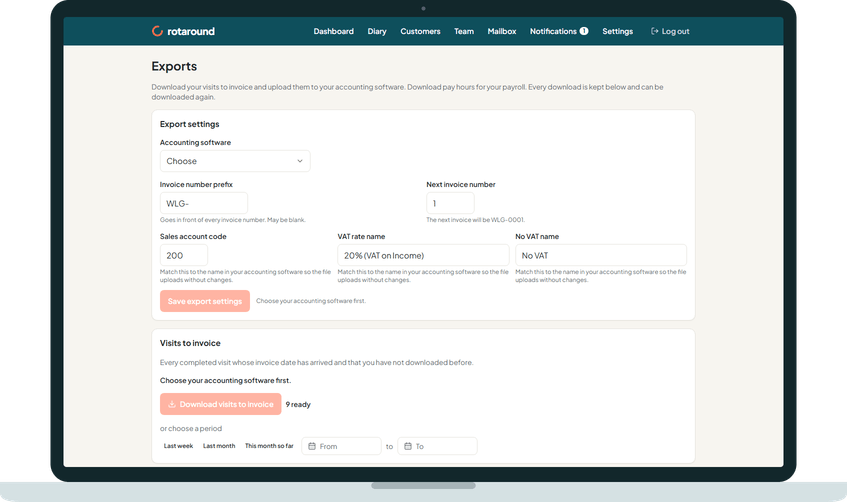
One line per visit
Every completed visit is one line on an invoice, with the day and the morning or afternoon.
Your invoice numbers
Invoices are numbered from your prefix when first downloaded, and never change after.
Five layouts
Choose the layout that matches your accounting software, or a plain spreadsheet.
Customise columns
Rename, reorder, add or remove columns, and choose one row per visit or one per invoice.
VAT handled
The rate in force on the visit's date, and none for an exempt customer.
Payment terms
One number of days to pay, set once in Settings.
Only what is new
Download the visits you have not downloaded before, or choose a period.
Changed since invoiced
A visit that changes after its invoice was downloaded is listed for you to correct.
Pay export
Every team member's hours, pay and on-costs for the period, with a day-by-day sheet.
Download history
Every download is kept and downloads again unchanged.
Your whole account
Everything you have entered, as a set of spreadsheet files, whenever you want.
Visit history
A customer's or a property's visit history downloads from their record.