What it is#
Each signed agreement reviews its price at the interval its template sets, every 12, 6 or 3 months, counted from the agreement's date. The app works out the new price for you:
- a fixed percentage rise adds that percentage to the current price
- an indexed rise uses the latest CPI or RPI rate, and never less than the minimum annual rise if the template sets one
Both are rounded to the nearest 10p. The rise is prepared 7 days before its notice must go, so you have time to check it.
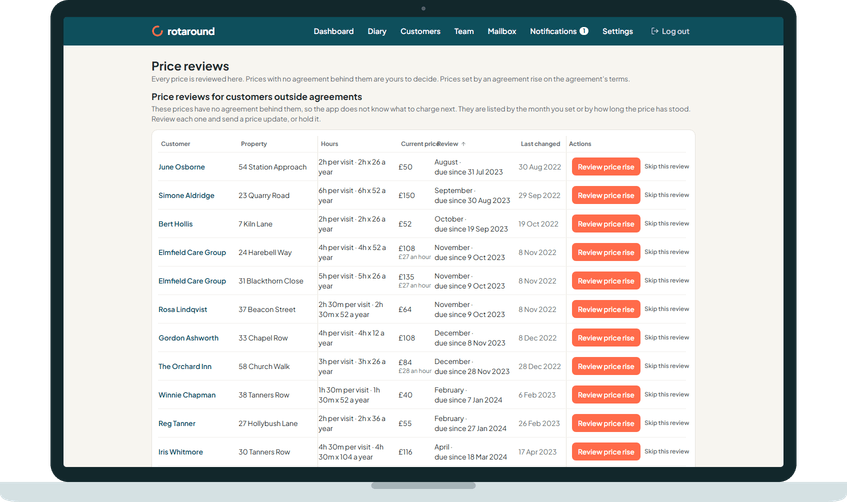
Rises you send yourself wait on the Agreement reviews due page.
When to use it#
Use it when the dashboard or the Customers page shows the prompt for agreement reviews due, which says to send each rise notice from the Agreement reviews page. You can also press Due in the Customers table.
How to do it#
- Open Agreement reviews due from the prompt on the dashboard or the Customers page.
- Each row shows the Customer, the Property, the Hours, the Price from and to, and when it is Due.
- Press Review price rise on a row. If the index rate could not be fetched, the button reads Enter the rate first: enter the 12-month rate and For the month, then press Apply the rate.
- In Review before sending, check the new price and the date under Takes effect. Change a price if you want, and add a personal message.
- Press Send update, or Hold this rise to keep the price as it is.
- To send several at once, tick the rows and press Review all ticked. The dialog Review the ticked rises shows them together; press the button to send the rise notices.
What your customer sees#
An email from your business headed Notice of your price review with your trading name, from the date the new price starts. It says this is notice of their price review under clause 6 of their agreement, sets out the price changes, and says when the new price takes effect.
If the agreement's rises take effect after notice, it says nothing is needed from them if they are happy, and that they can end the agreement before then by giving notice under clause 9, or contact you to discuss it. If rises take effect only once they accept, the page offers Accept the new price and Decline the new price. Dates are given in full, never a clock time.
What happens next#
The new price applies from its date, once the notice has run or the customer has accepted. The row leaves the page. When nothing is waiting, the page says Nothing is waiting to send right now.
The team member sees nothing of the rise.
Good to know#
- In Settings, Agreements, Agreement price rises can be Prepare for me to send or Send automatically. A rise set to send automatically goes on its own date, at least 7 days after it is prepared, and you are told when it has gone.
- Rises set to send automatically are not listed on the Agreement reviews due page. You find them on Ready to send, where each shows the date it sends, and on the Price reviews page under Price reviews set by agreement. You can hold or lower them there before they go.
- Automatic mode and self mode make no difference. Only the price rise setting matters.
Related articles#
Not what you needed? Contact us and say what you were trying to do.