What it is#
A day is more than its visits. Your team has to drive between addresses, and unload, set up and pack away at each one. The diary counts both when it plans.
Travel is an estimate worked out from the postcodes. The app does not look up live traffic. Where a postcode cannot be placed on the map, it allows a flat 10 minutes.
Loading time is a set number of minutes added to every visit.
When to use it#
Check these settings when you first set up your business, and whenever days feel too tight or too loose in practice.
How to do it#
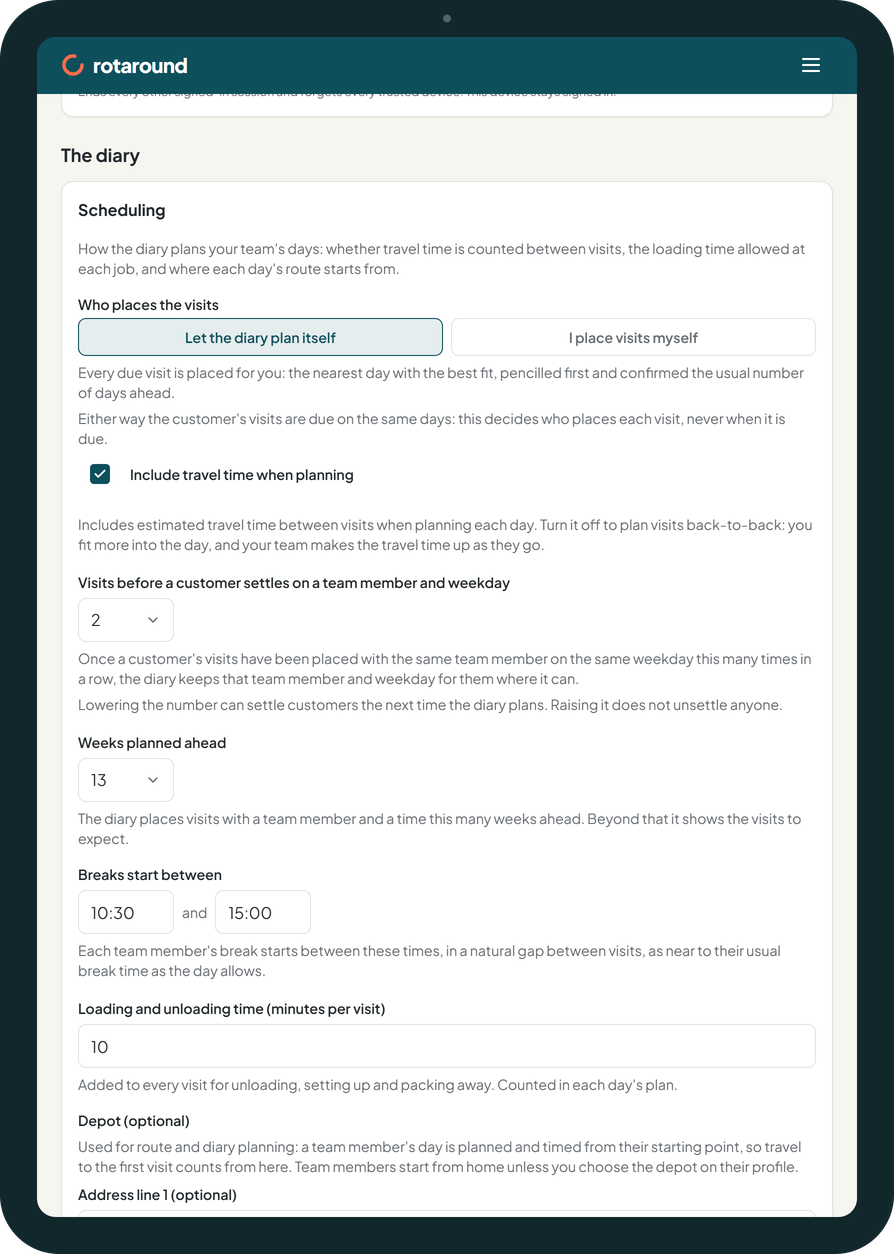
- Go to Settings, under Scheduling.
- Tick Include travel time when planning to count travel between visits. Untick it to plan visits back to back: you fit more into the day, and your team makes the travel time up as they go.
- Set Loading and unloading time (minutes per visit). It is 10 unless you change it, and can be anything from 0 to 60.
- If your team members start from a yard or unit, enter it under Depot (optional). Then choose the depot on the profile of each team member who starts there. Everyone else starts from home.
- Press Save scheduling.
What your customer sees#
Nothing. Travel and loading are part of your plan only. Customers are told the day and whether to expect you in the morning or the afternoon, never a clock time.
What happens next#
The next time the diary plans, each day it has not yet confirmed is worked out with the new settings. On the diary, travel and loading are drawn as blue striped bands between visits and listed in the key as Travel and loading. The key leaves it out when travel is off and no band is drawn.
The planner groups visits so that the least extra travel is added. When the diary moves a settled customer to another day, it also chooses the move that adds the least travel.
Good to know#
- Travel and loading count towards a day's used time. A day whose visits, loading and travel run past its hours and flex is marked Overloaded.
- Changing these settings does not move a confirmed visit. It changes how much the diary fits into days it is still planning.
- These settings apply in both automatic mode ("Let the diary plan itself") and self mode ("I place visits myself"). In self mode they shape the slots the diary suggests to you.
Related articles#
Not what you needed? Contact us and say what you were trying to do.