What it is#
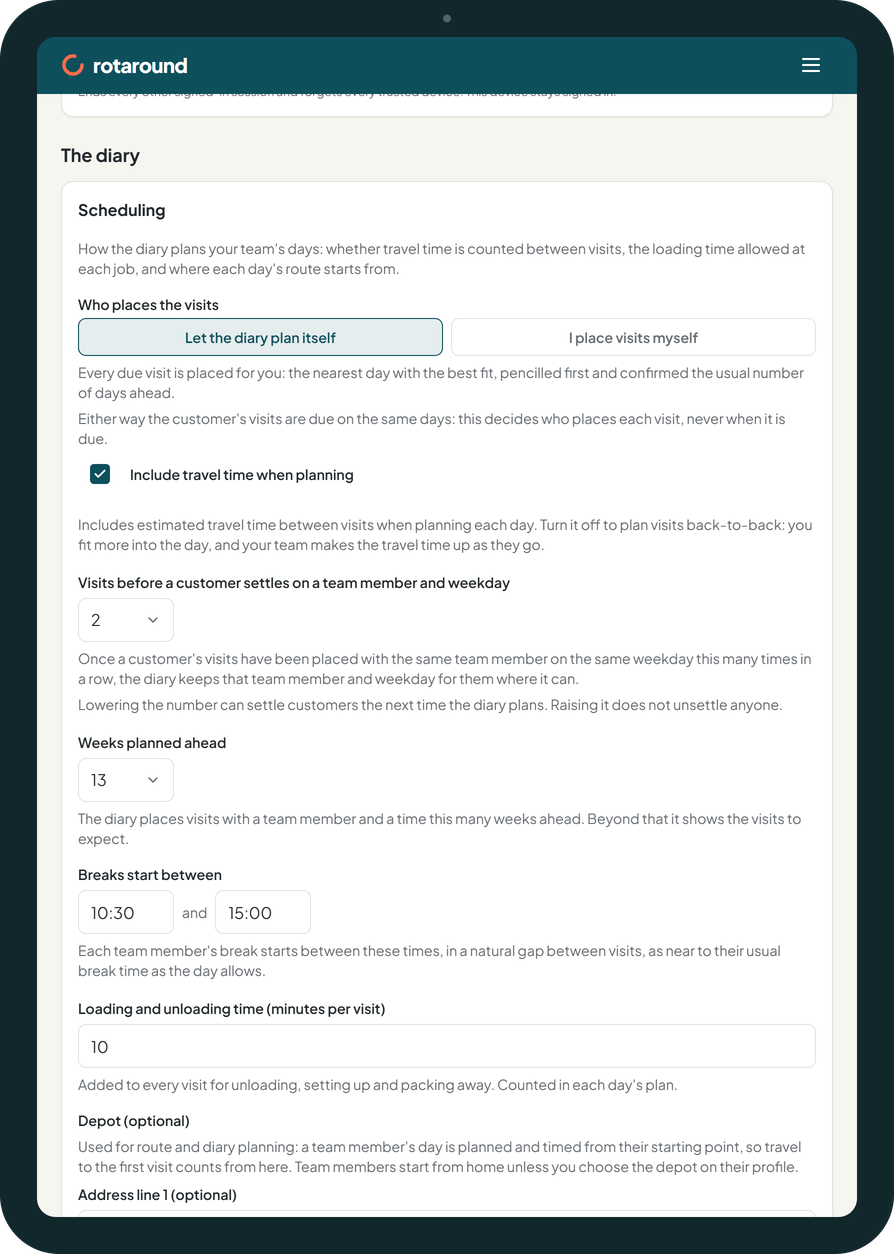
Every regular service has visits that fall due. The mode decides who places each due visit in the diary. It never changes when a visit is due: the customer's visits fall due on the same days either way.
- Automatic mode, Let the diary plan itself: every due visit is placed for you on the nearest day with the best fit. It is pencilled first and confirmed the usual number of days ahead.
- Self mode, I place visits myself: the diary shows what is due and you place each visit where you want it, once or for every visit like it. Nothing is pencilled, confirmed or emailed until you place it.
New accounts start in automatic mode.
When to use it#
Use automatic mode if you want the diary to do the planning and you only step in to change things. Use self mode if you prefer to decide every visit's day, team member and time yourself.
How to do it#
- Open Settings and go to Scheduling, under The diary.
- Under Who places the visits, choose Let the diary plan itself or I place visits myself.
- Read the line that appears. It tells you what happens to the visits already placed.
- Press Save scheduling.
- If you switched to automatic mode and some visits are overdue, press Place the overdue visits now to place them into free time once.
What your customer sees#
Nothing about the mode itself. In automatic mode the customer is emailed when a visit is confirmed. In self mode nothing is emailed until you place the visit. In both modes the email gives the day and whether to expect you in the morning or the afternoon, never a clock time.
What happens next#
In automatic mode, a planning pass places every due visit as pencilled. It runs each night, when something that affects the plan changes, and when the day turns. Pencilled visits are confirmed as they reach your confirm window.
In self mode, each due visit waits on Waiting to be scheduled until you place it. The first time you place a visit for a service, the app asks Is this the customer's regular slot? Choose Yes, every visit and later visits follow the same team member, weekday and time for as long as they fit. Choose Just this visit to place only that one.
When you switch to self mode, visits already placed stay where they are, and each customer's usual team member and day becomes their regular slot. When you switch back to automatic mode, each regular slot becomes the customer's usual team member and day, and anything still waiting is planned at the next pass.
After Place the overdue visits now, no customer is emailed. Each placed visit can be emailed from the diary.
Team members see their visits on their own page either way, with clock times.
Good to know#
- Weeks planned ahead sets how far ahead visits are placed in automatic mode, and how far ahead visits come due for you in self mode.
- In self mode customers do not settle on a team member and weekday: the regular slot keeps them.
- In self mode the dashboard tells you when customers have visits due this week and nothing on the diary.
- Visits you place by hand stay where you put them in either mode.
Related articles#
Not what you needed? Contact us and say what you were trying to do.